Smart Instagram Templates: Streamline Your Social Feed
Staying relevant on Instagram requires more than just a good photograph; it demands a cohesive visual language. For designers, entrepreneurs, and content creators, the pressure to produce high-quality posts daily can be overwhelming. This is where having the right design assets in your toolkit changes the game. We are looking at a specific solution today: the Creative Instagram Template. It is not just a collection of files; it is a workflow accelerator designed to bring consistency and professionalism to your social media presence without the need for advanced technical skills.
The Anatomy of a Professional Template
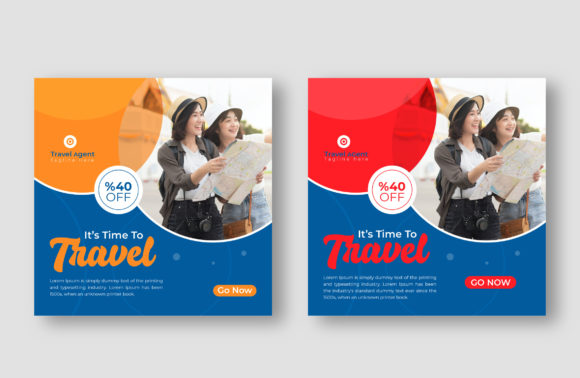
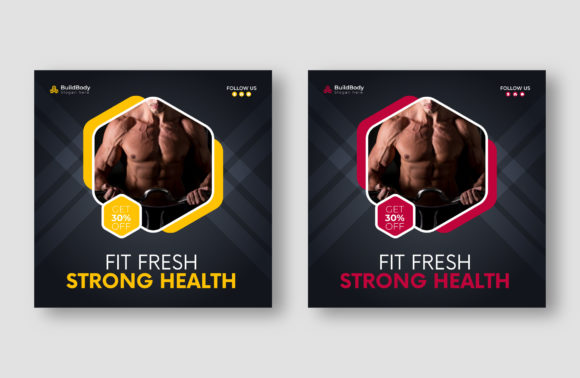
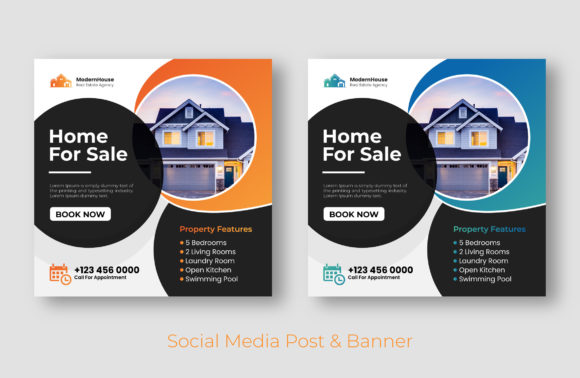
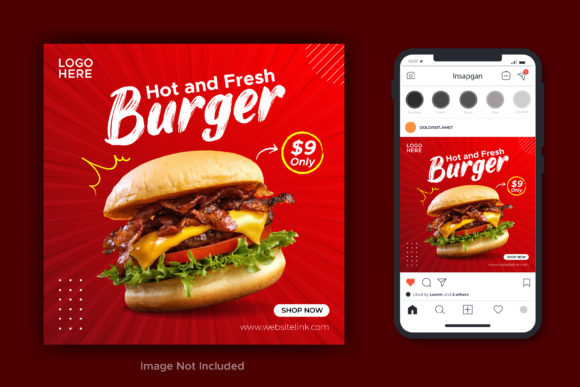
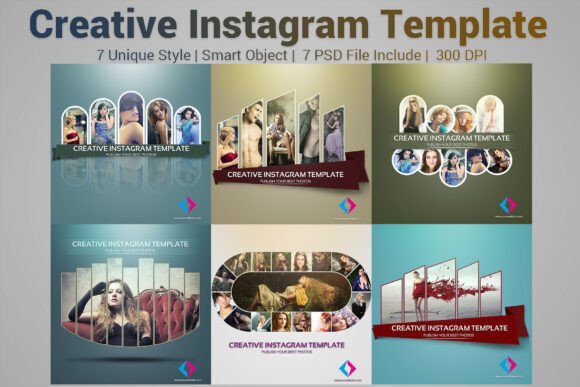
When you are selecting resources for your digital marketing or branding projects, the technical specifications matter just as much as the visual appeal. This particular package offers seven distinct PSD files, each sized at the industry-standard 1080x1080 pixels. This square format remains the most versatile aspect ratio for the Instagram grid, ensuring your content looks balanced whether viewed on a profile or in the feed.
The true power of this Creative Instagram Template lies in its construction. The files are 100% layered and grouped logically. For anyone who has spent time digging through messy Photoshop files, this organization is a relief. It allows for rapid customization. You can isolate specific elements, swap colors, or adjust layouts without affecting the rest of the design. Furthermore, the inclusion of Smart Objects is a critical feature. Smart Objects allow you to simply drag and drop your own imagery into a placeholder, automatically scaling and warping it to fit the design frame perfectly. This non-destructive editing means you can experiment freely without ruining the original file structure.
Visual Personality and Stylistic Appeal
While the technical specs provide the foundation, the visual character of the template dictates its utility. This set is designed to feel modern and clean, acting as a neutral canvas that supports your content rather than competing with it. The aesthetic is versatile, bridging the gap between minimalism and creative flair. It avoids overly trendy effects that might look dated in six months, focusing instead on solid composition and balanced negative space.
The personality of these files is one of efficiency. It projects a sense of order and intention. Because the files are fully layered, you have the creative freedom to impose your own brand identity onto them. You can turn a sleek, corporate layout into something vibrant and edgy simply by adjusting the color palette and typography. This adaptability makes it an excellent choice for brand identity work, where consistency across multiple posts is paramount.
Strategic Applications for Creators and Brands
Understanding where this template fits into your broader marketing strategy is key. It is not limited to one specific niche. Here is how different professionals can leverage this asset:
- Small Business Owners: Use the templates to announce sales, showcase products, or share customer testimonials. The professional layout immediately elevates your brand perception, making a small business look established and trustworthy.
- Bloggers and Publishers: Create quote cards, article teasers, or behind-the-scenes content. The 1080x1080 size is perfect for driving traffic from the feed to your website.
- Marketers: rapidly prototype campaign visuals. Instead of waiting for a designer to mock up every idea, you can use the Creative Instagram Template to visualize content calendars and pitch concepts to clients.
- Hobbyists and Crafters: Showcase your work in a gallery-style format. The clean lines ensure that the details of your craft remain the focal point.
The application extends beyond just Instagram. Because these are high-resolution PSD files, they can easily be repurposed for Pinterest pins, Facebook posts, or even printed media like flyers and brochures with minor adjustments to the resolution settings.
Optimizing Workflow with Smart Objects
The mention of "Smart Object" in the description deserves special attention. In the realm of digital design, Smart Objects are the bridge between a static template and a dynamic final product. For the entrepreneur who is not a Photoshop expert, this feature is a lifesaver. It protects the original design elements—like shadows, borders, and typography effects—while allowing you to swap the content layer effortlessly.
Imagine you are running a series of posts for a product launch. You have seven different photos you want to use. With this Creative Instagram Template, you simply open the Smart Layer for each of the seven PSD files, paste your photo, save, and close. The main file updates instantly with your image perfectly cropped and styled. This removes the technical barrier to entry, allowing you to focus on the message and the imagery rather than the mechanics of clipping masks and layer styles.
Readability and Visual Hierarchy
A template is only successful if it communicates information clearly. The layout of these files is constructed to guide the viewer's eye. By utilizing grouped layers, the creator has established a clear hierarchy. There is space for a headline, room for body copy, and designated areas for imagery. This structure forces you to be concise with your messaging, which is a best practice for social media engagement.
When you customize the font information—details of which are included in the package—you must consider readability against the background. The layered nature of the file allows you to add overlays or adjust the opacity of background images to ensure that your text remains legible. This is crucial for web design principles applied to social media; high contrast and clear typography lead to higher engagement rates and lower bounce rates.
Practical Guidance for Customization
To get the most out of this resource, approach it with a strategy. First, define your color palette before you open Photoshop. Knowing your hex codes will speed up the editing process. Second, gather your imagery in advance. Since the model’s photos are not included, you have the freedom to use stock photography that perfectly matches your demographic or, better yet, original photography that builds authenticity.
When testing font pairing, look at the included guide. If the template uses a bold display font for headers, consider pairing it with a clean sans serif font for the body text to maintain readability. Do not be afraid to experiment with the grouped layers. Unlock a layer, change the shape, or move an element slightly to make the design your own. The goal is not to use the template exactly as it was sold, but to use it as a structural foundation for your unique creative font and visual storytelling.
Ultimately, this asset is about saving time while maintaining quality. It provides the scaffolding so you can focus on the art. Whether you are a designer looking to speed up production or a business owner trying to maintain a consistent feed, a well-structured Creative Instagram Template is an indispensable part of a modern design assets library.