Instant Dimension: Using the 500k 3D Editable PSD Text Effect
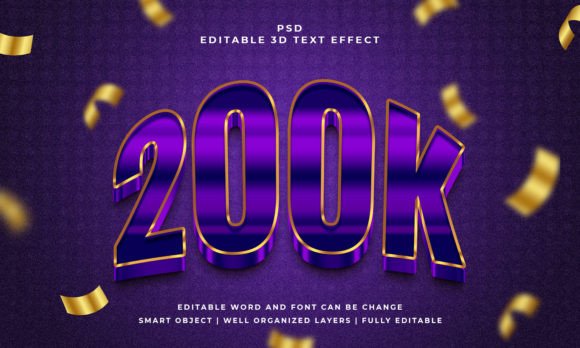
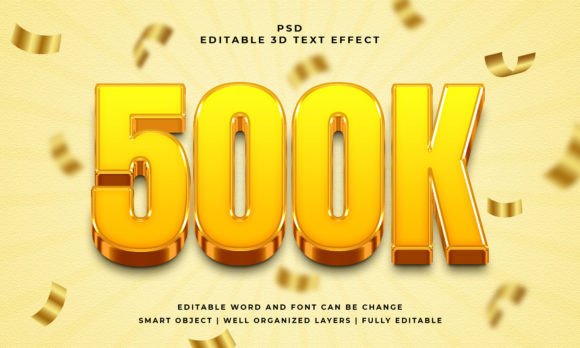
Let’s be honest, achieving that polished, three-dimensional look in Photoshop usually takes a significant amount of time. You spend hours adjusting bevels, tweaking lighting angles, and selecting the right drop shadows, only to end up with something that looks a bit dated or heavy. When you are working against a deadline—whether you are designing a YouTube thumbnail, a social media banner, or a quick mockup for a client—you need results that look professional without the technical headache. That is exactly where the 500k 3D Editable PSD Text Effect comes into play. It bridges the gap between complex 3D rendering and flat graphic design, offering a streamlined solution for adding depth and volume to your typography.
Understanding the "Smart Object" Workflow
The core appeal of this asset lies in its simplicity. If you are new to design assets, the term "Smart Object" might sound technical, but it is actually the feature that saves you the most work. In simple terms, a Smart Object is a container within Photoshop that allows you to make changes to a layer without permanently altering the original image data. With the 500k 3D Editable PSD Text Effect, the heavy lifting—the shading, the perspective warping, and the texture mapping—is already done for you. You simply double-click the Smart Object layer, type in your own text or paste your vector shape, save it, and watch the main file update instantly with your new 3D design.
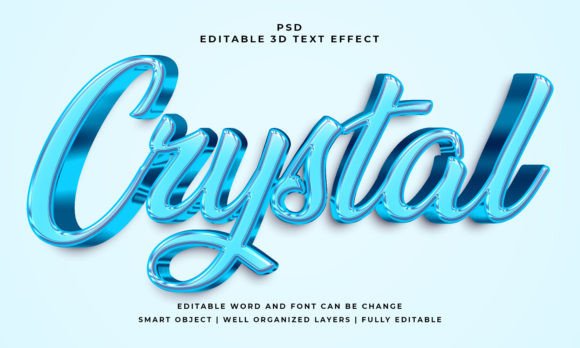
This workflow is a game-changer for consistency. If you are building a brand identity and need to see how your logo looks in a 3D format across different backgrounds, you can test variations in seconds. It removes the barrier to entry for creating premium font presentations. You do not need to be a 3D modeling expert to make your text look like it is jumping off the screen. The file is 100% editable text and font, meaning you aren't locked into a specific typeface. You can apply this effect to a bold sans serif font for a tech startup feel or a flowing script font for a more elegant greeting card design.
Visual Impact and Modern Typography
In the world of modern typography, flat design has been the king for a while, but 3D elements are making a massive comeback. However, the return of 3D isn't about the glossy, plastic-looking text of the early 2000s. It is about depth, texture, and realism. The 500k 3D Editable PSD Text Effect taps into this trend by offering a look that feels substantial. It adds a tactile quality to your digital assets, which is crucial for grabbing attention in crowded spaces like Instagram feeds or crowded marketplaces.
When you use a display font with this effect, it becomes a focal point. Think about packaging design for a moment. If you are creating a mockup for a coffee bag or a tech gadget, a 3D text effect can simulate how the typography will look when embossed or printed on physical materials. It helps your clients visualize the end product better than flat text ever could. For editorial design, such as magazine covers or feature headers, this style provides the necessary visual hierarchy to separate headlines from body copy. It commands the reader's attention immediately, which is the primary goal of any creative font application.
Practical Applications for Designers and Entrepreneurs
So, where does this asset fit into your daily workflow? The versatility is surprisingly broad. Because it works with text, vector shapes, or any kind of shape, it is not limited to just typography.
- Social Media Graphics: Standing out on platforms like Facebook or LinkedIn requires bold visuals. You can use this effect to create headers for events, announcement posts, or sale graphics that look high-end.
- Logo Design: While you shouldn't rely on effects for the core identity of a logo, seeing a logo in 3D helps in creating presentations. It shows versatility and adds a "wow" factor to your pitch decks.
- Web Design: Hero sections on websites often need a strong visual anchor. A 3D text effect can serve as a unique header image that loads quickly (as a JPEG or optimized PNG) and looks better than standard browser text rendering.
- Video Thumbnails: For content creators on YouTube, the thumbnail is everything. High-contrast, 3D text often outperforms flat text because it signals production value and excitement.
Integrating with Font Pairing Strategies
One of the most common questions regarding design assets like this is how they interact with font pairing. A 3D effect adds visual weight, so you need to be careful not to overwhelm your layout. A good rule of thumb is to use the 500k 3D Editable PSD Text Effect on your primary headline only. Do not apply it to your sub-headers or body text; that will make the design unreadable.
For example, if you apply this effect to a heavy serif font, pair it with a light, clean sans serif font for the supporting text. This contrast creates balance. The 3D text draws the eye, and the flat, clean text provides the readable information. This approach ensures that your visual hierarchy remains intact. You are using the effect to enhance brand perception, making the brand feel more dynamic and modern, rather than just using it to be loud.
Technical Considerations and File Specifications
When incorporating any new asset into your library, it is important to look at the technical specs to ensure it fits your project's needs. The 500k 3D Editable PSD Text Effect comes in at 2000x1200 pixels in RGB Color mode.
Here is why that matters to you:
- Resolution: At 2000px wide, this is high-resolution enough for most digital applications and even some smaller print formats. However, if you are designing for large-scale print like billboards, you would need to upscale or use it as a reference.
- Color Mode: RGB is the standard for screens. This makes the file perfect for web design, social media, and digital presentations. If you are moving this to print, you will need to convert the color profile to CMYK in Photoshop, and be aware that the vibrant colors of 3D effects often dull down in print.
- Organization: The file features well organized layers. This is a massive benefit for intermediate and advanced users. You can dive into the layer structure to tweak the lighting, change the shadow color, or adjust the texture intensity to match your specific brand colors.
Making the Most of Your Design Assets
Ultimately, the value of a tool like the 500k 3D Editable PSD Text Effect is measured by how much time it saves you and how much it elevates your work. For entrepreneurs and small business owners, it allows you to create marketing materials that look like they were made by a high-end agency without the associated cost. For designers, it is a way to speed up the concept phase.
Remember, the best results come from restraint. Just because you can make everything 3D doesn't mean you should. Use this effect to highlight key messages, create seasonal promotions, or add personality to a specific campaign. By treating the 500k 3D Editable PSD Text Effect as a strategic tool rather than just a filter, you can maintain a professional aesthetic while keeping your creative process efficient and enjoyable.